One of the most expensive habits in aluminium part design is reaching for the strongest alloy by name. In XC Machining’s DFM reviews, about one in four projects begins with a 7075-T6 specification even when 6061-T6 would meet every mechanical requirement. That choice can raise per-part cost by 15–30% and extend machining time by 20–35%. For a 500-part enclosure run, the premium can range from $3,000 to $12,000, not including the longer schedule and added finishing risk.
Kevin Zhao, Head of Engineering at XC Machining, has spent 12 years in CNC process engineering with a focus on aluminium machining optimization for aerospace, consumer electronics, and automotive programmes. His team works across 3-, 4-, and 5-axis centres, where material selection is rarely a neutral decision. The alloy determines cutting speed, tool life, surface finish, weldability, and the final price tag.
Aluminium remains the most common CNC metal because it cuts quickly, produces predictable chips, and can hold tight tolerances without the thermal control problems associated with steel or titanium. However, “aluminium” is a family, not a single material. The machining behaviour of 6061-T6, 7075-T6, 2024-T3, and 5052 differs enough that alloy selection should be treated as a DFM decision, not a last-minute fill-in on a drawing.
The core question is not “which alloy is strongest?” but “which alloy matches the load, fatigue environment, and finish requirement?” If the part will be anodised, that also matters. 6061-T6 is the default choice for most CNC-machined aluminium parts. It offers a practical balance of 276 MPa tensile strength, excellent machinability, good weldability, and clean anodising response. It generally machines 20–35% faster than 7075-T6 while producing less tool wear, which lowers the cost of each part.
7075-T6 earns its place when the design truly requires tensile strength above 300 MPa or when fatigue life is the governing requirement, such as in aerospace structural components and high-load mechanical assemblies. If finite element analysis shows a safety factor above 2.5 at yield using 6061-T6, 7075 is almost certainly overspecified. Running the stress analysis before finalising the material spec can save 15–30% on machining cost and 40–50% on raw material cost per kilogram.
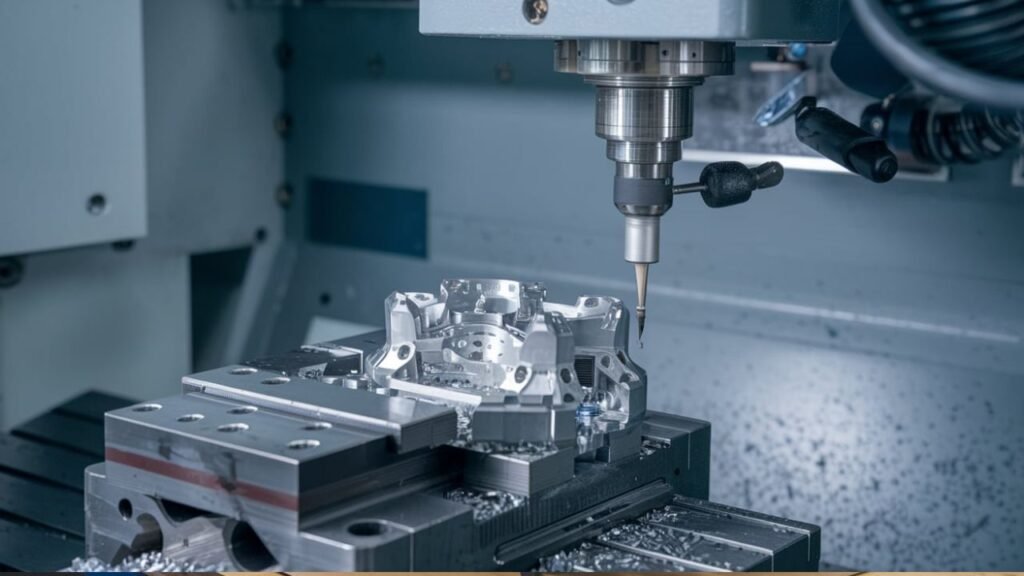
Aluminium is forgiving enough for high-speed machining, typically 15,000–25,000 RPM with carbide tooling on XC Machining’s 3- and 5-axis equipment. These parameters produce clean chips, lower cutting forces, and reduced tool wear. Yet the total cost of an aluminium CNC part is still driven by material cost, setup, machine time, and surface finishing. A part that looks simple on paper can become expensive when thin walls, tight corners, or premium finishes are introduced.
One DFM change is to avoid unnecessarily thin features. Walls below 0.8 mm in aluminium often require slower feeds to control chatter and deflection. Raising the minimum wall thickness from 0.5 mm to 0.8 mm can cut finishing pass time by roughly 20–30% for thin-walled features without sacrificing function in many brackets, housings, and enclosures.
Another is to standardise internal corner radii. A pocket with a 2.97 mm corner radius may force the use of custom or non-standard end mills, adding $50–$150 in tooling cost per job. Using 3.0 mm, 4.0 mm, or 5.0 mm radii lets the shop use standard inventory tooling, reducing setup time and cost.
Surface finish selection should also be matched to the alloy. Type III hard anodise can mottle or produce uneven coating on 7075, especially where alloy composition varies. When corrosion resistance is the main goal, powder coating or a chemical conversion coating such as Alodine or MIL-DTL-5541 is often cheaper and more consistent on 7075. Type III anodise is best reserved for 6061, where it performs more predictably.
Setup cost is another hidden lever. At $150–$400 per job, setup is fixed regardless of how many parts are produced. Machining five small brackets from a single setup plate, separated by tabs and deflashed after machining, can reduce the effective setup cost per bracket by 60–80%. This approach is especially useful for low-volume production and prototype batches.
Tolerance capability also influences price. Standard 3-axis aluminium machining commonly holds ±0.05–0.10 mm on general features. With proper 5-axis fixturing, critical features can reach ±0.005–0.01 mm. Bore tolerances for interference fits can be brought to ±0.002–0.005 mm using reaming operations. Thermal growth is usually minimal at normal ambient temperatures, but temperature-controlled inspection is recommended when tolerances are tighter than ±0.01 mm. XC Machining holds ±0.005 mm as standard capability across its 3-, 4-, and 5-axis centres.
Cost varies with geometry, tolerance, finish, and quantity. A simple 3-axis bracket made from 6061-T6 in a 10-part run may cost $40–$120 per part at a US shop, with XC Machining typically quoting $25–$70. A complex 5-axis housing with Type III anodise in a 5-part run can range from $400–$900 per part at a US shop, or $250–$560 at XC Machining. The fastest way to get a reliable number is to submit a STEP file for a DFM-reviewed quote.
Weldability is the final factor that often changes the alloy decision. 7075 is difficult to weld because of its high zinc content. It is prone to hot cracking during fusion welding and loses a significant portion of its temper strength in the heat-affected zone. If the design requires welded joints, 6061-T6 is usually the correct choice because it can be TIG or MIG welded with acceptable strength in the HAZ. For 7075 assemblies, mechanical fastening or adhesive bonding are the preferred joining methods.
If you are working on an aluminium CNC part, submit your file for a free DFM review and quote at xcmachining.com. Quotes are returned within 4 hours and include a material grade recommendation, helping you avoid cost increases before the part enters production.