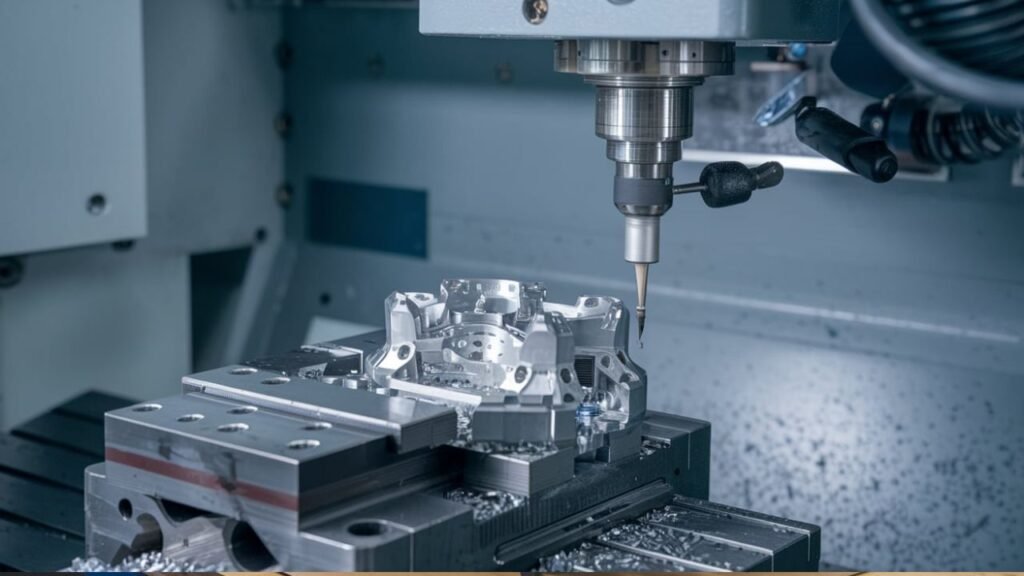
Choosing between 3-axis and 5-axis CNC machining is not simply about hourly rate. On the surface, 5-axis looks much more expensive: $120–$200 per hour versus $60–$80 per hour for 3-axis. A 5-axis machine may command 75–150% more per hour, but that rate does not tell the full story. For a complex aluminium housing with features on multiple faces, a 5-axis centre can finish the part in two setups instead of six. Eliminating four fixture changes at $150–$400 each and four re-datum operations can bring the total 5-axis job cost 20–40% below the 3-axis alternative.
The meaningful comparison is total job cost, not machine rate. For 3-axis, total cost includes machine time multiplied by the number of setups, repeated programming, multiple fixtures, and the risk of accumulated dimensional errors. For 5-axis, you pay a higher hourly rate, but typically one fixture, less programming, and a single datum. The result: simple prismatic parts with features accessible from three sides are cheaper on 3-axis. Parts with compound angles, deep pockets, undercuts, or features on four or more faces are usually cheaper and better on 5-axis.
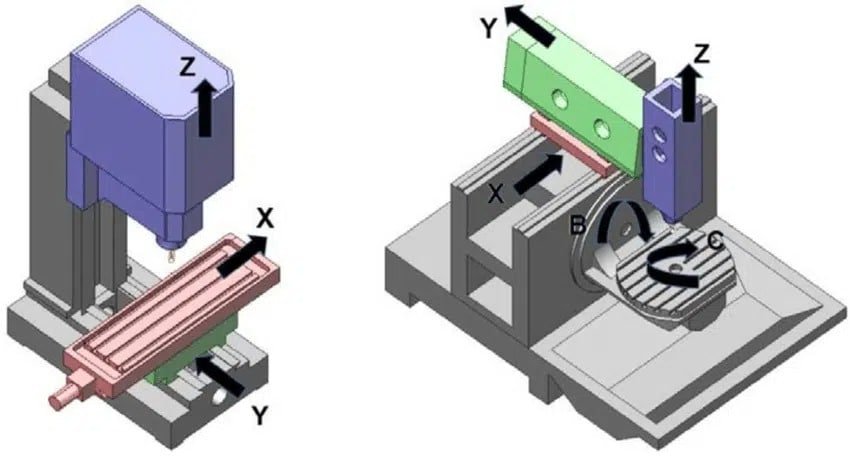
XC Machining runs simultaneous 5-axis CNC centres with ±0.005 mm positioning accuracy. Most complex work is produced in 3+2 indexed mode, which captures about 90% of the benefit of 5-axis at lower programming complexity. Full simultaneous 5-axis is reserved for compound-surface aerospace and medical parts. In a representative complex aluminium housing with features on six faces, 5-axis total job cost is 55% lower than 3-axis at single quantity, and 48% lower for ten parts. All of that saving comes from eliminating setups.
Any part requiring machined features on four, five, or six faces needs at least 3+2 capability to be practical. Every additional setup on a 3-axis machine introduces re-datum error of ±0.02–0.05 mm, making it difficult to hold the positional relationship between opposite faces. A compound-angle hole—35° from horizontal and 20° from vertical simultaneously—cannot be drilled on a 3-axis machine without a custom angled fixture. A 3+2 machine indexes to the compound angle and cuts directly.
Deep pockets with depth-to-width ratio greater than 4:1 are also problematic on 3-axis. Long-reach tools lose stiffness, causing chatter and rough surface finish. 5-axis tilts the tool relative to the pocket wall, so shorter, stiffer tools reach full depth without vibration. For curved surfaces, 3-axis ball-end milling leaves scallops between tool paths. Simultaneous 5-axis keeps the tool at an optimal contact angle, producing a superior finish with wider step-overs—machining faster and smoother in one operation.
Some parts demand true simultaneous 5-axis. Orthopaedic implant geometries, dental prosthetics, and aerospace aerofoil sections have compound-curved surfaces that are geometrically impossible to produce at production quality on 3-axis. Similarly, when positional tolerances between opposite faces are ±0.025 mm or tighter, single-setup 5-axis machining maintains those relationships from one datum, while 3-axis multi-setup work accumulates enough error to violate the tolerance.
To summarise: the 5-axis hourly rate is higher, but for complex parts the total job cost is often 30–55% lower. Fixture changes at $150–$400 each and programming events at $300–$800 each disappear as setups decrease. For simple parts with 1–3 side access, 3-axis remains the economical choice. For parts with four or more accessible faces or compound angles, 5-axis is not a luxury—it is the smart decision.
Not sure which process fits your part? XC Machining provides 3-axis, 3+2, and simultaneous 5-axis CNC machining. Submit your files for a free setup analysis at xcmachining.com.